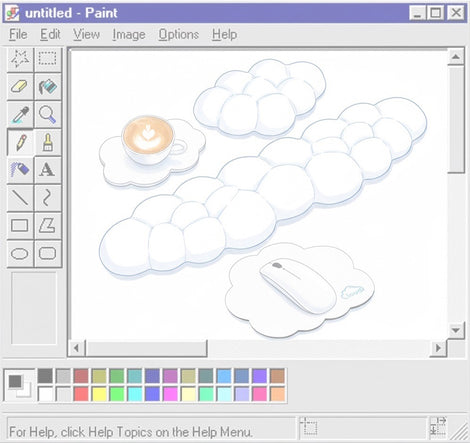




Do Apple Keyboards Need Wrist Rests? The Complete Ergonomic Guide for Mac Users
Most Apple keyboards are designed with an ultra-low-profile layout, which changes how wrist support works compared to traditional keyboards. In many setups, Apple users may not need a wrist rest at all — and in some cases, the wrong wrist rest can actually make ergonomics worse. This guide explains when wrist rests help, when they hurt, and how to build a healthier typing setup for long-term comfort.
Do Apple Keyboards Need Wrist Rests?
Usually, no — most Apple keyboards do not require a wrist rest because they are significantly thinner than traditional mechanical keyboards.

Apple’s Magic Keyboard and MacBook keyboards sit very low on the desk surface, which naturally reduces wrist extension. Lower wrist extension generally means less upward bending of the wrists during typing.
However, there are exceptions. Some users may still benefit from a wrist rest depending on:
- Desk height
- Chair height
- Typing duration
- Existing wrist pain
- Typing posture
- Standing desk usage
- Forearm support
| Situation | Need a Wrist Rest? |
|---|---|
| Apple Magic Keyboard on standard desk | Usually no |
| High desk setup | Sometimes |
| Long coding sessions | Possibly |
| Mechanical keyboard user switching to Apple | Often less necessary |
| Existing wrist pain or RSI | Depends on setup |
| MacBook keyboard use | Rarely |
Why Apple Keyboards Are Different From Most Keyboards
Most ergonomic discussions online assume users are typing on thick mechanical keyboards. Apple keyboards are fundamentally different.
Low Front Height
Apple keyboards sit very close to the desk surface, reducing wrist elevation requirements.
Minimal Key Travel
Shorter key travel reduces finger movement and changes typing mechanics.
Flat Typing Angle
Apple keyboards usually avoid aggressive typing angles common in gaming keyboards.
Compact Layout
Smaller layouts can reduce shoulder abduction and mouse reach distance.
According to Apple’s official ergonomics guidance, users should maintain straight wrists and relaxed shoulders while typing.
Many generic wrist rests are designed for taller keyboards. On Apple keyboards, thick wrist rests often create an unnatural upward bend instead of reducing strain.
How Low-Profile Keyboards Affect Wrist Position
Low-profile keyboards reduce the angle between your forearms and hands. This matters because excessive wrist extension increases pressure inside the carpal tunnel region.
With taller keyboards, users often compensate by bending their wrists upward. Wrist rests can help reduce that angle. But Apple keyboards already minimize this issue by design.
| Keyboard Type | Typical Front Height | Wrist Extension Risk | Need for Wrist Rest |
|---|---|---|---|
| Apple Magic Keyboard | Very low | Low | Usually minimal |
| Low-profile mechanical keyboard | Moderate | Medium | Sometimes |
| Traditional mechanical keyboard | High | Higher | Often beneficial |
When Wrist Rests Actually Help Apple Keyboard Users
Even though Apple keyboards are low-profile, wrist rests can still help in specific situations.
1. Long Typing or Coding Sessions
Developers, writers, editors, and office workers who type for many continuous hours may benefit from light palm support during pauses between typing.
2. High Desk Setups
If your desk sits too high relative to your elbows, your wrists may bend upward regardless of keyboard thickness.
3. Existing Wrist Fatigue
Users recovering from repetitive strain issues sometimes benefit from soft transitional support that reduces static tension.
4. Standing Desk Use
Standing desks often create inconsistent elbow positioning. Thin wrist rests may help stabilize forearm posture.
- Forearm fatigue after typing
- Wrist tension during long sessions
- Raised shoulders while typing
- Typing with bent wrists
- Desk surface feels too high
When Wrist Rests Make Ergonomics Worse

This is one of the most misunderstood parts of keyboard ergonomics.
A poorly matched wrist rest can create more strain than typing without one.
Problems Caused by Thick Wrist Rests
- Excessive wrist extension
- Palm compression
- Reduced blood flow
- Increased pressure near the carpal tunnel
- Forced upward hand positioning
Many users assume “more cushioning” automatically means better ergonomics. In reality, wrist alignment matters more than softness.
Resting While Typing vs Resting Between Typing
Professional ergonomic recommendations often suggest:
- Float wrists while actively typing
- Use support only during pauses
Constant pressure against a wrist rest during active typing can increase localized compression.
Floating Wrists vs Resting Wrists
One of the biggest misconceptions in office ergonomics is that your wrists should always remain planted on a wrist rest while typing.
In reality, many ergonomic specialists recommend “floating wrists” during active typing.
| Typing Style | Description | Ergonomic Impact |
|---|---|---|
| Floating wrists | Hands hover slightly above keyboard | Often healthier during typing |
| Resting wrists | Wrists remain compressed on support surface | May increase pressure over time |

The goal is to support the base of the palm during pauses — not to anchor the wrists during every keystroke.
Desk Height Matters More Than Keyboard Brand

Many users blame their keyboard when the real issue is desk geometry.
Even the best ergonomic keyboard can feel uncomfortable if:
- Desk height is too high
- Chair is too low
- Elbows are unsupported
- Shoulders remain elevated
| Setup Factor | Ideal Position |
|---|---|
| Elbows | Roughly 90–100° angle |
| Forearms | Parallel to floor |
| Wrists | Neutral and straight |
| Shoulders | Relaxed |
| Keyboard height | Near elbow level |
This is why two people using the exact same Apple keyboard may have completely different comfort levels.
For a deeper look at complete ergonomic workstation positioning — including monitor height, neck posture, and desk alignment — see: The Ultimate Ergonomic Keyboard Health Guide (2026 Edition) .
Apple vs Mechanical Keyboard Ergonomics
Many users switch between Apple keyboards and mechanical keyboards without realizing how dramatically keyboard height changes wrist posture.
Traditional mechanical keyboards are usually much taller than Apple keyboards. This increased height often requires either:
- More wrist extension
- A lower keyboard tray
- A wrist rest for angle compensation
Apple keyboards reduce this requirement because the typing surface sits much closer to the desk.
| Feature | Apple Magic Keyboard | Traditional Mechanical Keyboard |
|---|---|---|
| Front Height | Very low | High |
| Key Travel | Short | Long |
| Typing Angle | Flat | Often elevated |
| Wrist Extension Risk | Lower | Higher |
| Need for Wrist Rest | Usually lower | Often higher |
| Gaming Optimization | Limited | Common |

This is why many users who move from mechanical keyboards to Apple keyboards suddenly feel less need for thick wrist rests.
Can Apple Keyboards Cause Wrist Pain?
Yes — but the keyboard itself is often only part of the problem.
Apple keyboards are generally considered more ergonomic than many full-height keyboards due to their low-profile design. However, wrist pain can still occur when other setup factors are poor.
Common Causes of Wrist Pain While Using Apple Keyboards
High Desk Position
A desk that sits too high forces upward wrist bending even on low-profile keyboards.
Poor Typing Technique
Typing with collapsed wrists or excessive force can increase strain over time.
Lack of Forearm Support
Unsupported forearms increase static muscle tension in shoulders and wrists.
Long Static Sessions
Typing for hours without movement reduces circulation and increases fatigue.
Symptoms commonly associated with poor keyboard ergonomics include:
- Wrist soreness
- Tingling fingers
- Forearm tightness
- Burning sensations
- Finger fatigue
- Numbness after typing
Do MacBook Users Need Wrist Rests?
Usually not.
MacBook keyboards are among the thinnest mainstream keyboards available. Because the keyboard deck is integrated into the laptop chassis, the typing surface already sits extremely low relative to the desk.
For many users, adding a thick wrist rest in front of a MacBook can actually create a worse typing angle.
When MacBook Users Might Benefit From Wrist Support
- Using a laptop stand with external keyboard positioning issues
- Typing on high desks
- Long writing or coding sessions
- Working from rigid surfaces for many hours
When Wrist Rests Often Hurt MacBook Ergonomics
- Using thick memory foam supports
- Elevating palms above keyboard height
- Typing with compressed wrists
Best Wrist Rest Types for Apple Keyboards
If you decide to use a wrist rest with an Apple keyboard, thinner is usually better.
The ideal wrist rest should support natural alignment without lifting the hands too high above the keyboard surface.
| Wrist Rest Type | Good for Apple Keyboards? | Notes |
|---|---|---|
| Thin foam wrist rests | Yes | Often the safest option |
| Low-profile wooden rests | Sometimes | Works if height matches keyboard |
| Gel wrist rests | Mixed | Can create pressure points |
| Thick memory foam rests | Usually no | Often too tall for Apple keyboards |
| Adjustable ergonomic rests | Potentially | Useful for custom setups |
- Low height
- Minimal wrist elevation
- Stable surface
- Soft but not overly compressive
- Width matched to keyboard size
Common Ergonomic Mistakes Apple Users Make
Mistake #1: Using a Wrist Rest That Is Too Thick
One of the most common errors is pairing ultra-thin Apple keyboards with oversized wrist rests designed for tall gaming keyboards.
Mistake #2: Resting Wrists While Actively Typing
Continuous pressure during typing can increase compression rather than reduce strain.
Mistake #3: Ignoring Desk Height
Many ergonomic problems originate from desk geometry rather than the keyboard itself.
Mistake #4: Raising Keyboard Feet
Increasing keyboard angle often increases wrist extension.
Mistake #5: Typing With Elevated Shoulders
If shoulders rise while typing, your desk may be too high.
Mistake #6: Using Hard Desk Edges Without Forearm Support
Sharp desk edges can create forearm pressure and circulation issues during long sessions.
How to Set Up an Ergonomic Apple Keyboard Workspace
An ergonomic setup is not about buying more accessories. It is about maintaining neutral alignment across the entire upper body.
Step 1: Position Your Keyboard Correctly
- Keep keyboard close to elbow height
- Avoid excessive tilt angles
- Center keyboard to body
Step 2: Adjust Chair Height
- Feet flat on floor
- Knees near 90°
- Shoulders relaxed
Step 3: Support Forearms
- Use armrests lightly if available
- Avoid unsupported reaching
- Reduce shoulder tension
Step 4: Keep Wrists Neutral
- Avoid upward bending
- Do not collapse wrists downward
- Float hands lightly while typing
Step 5: Take Movement Breaks
Even perfect ergonomics cannot eliminate fatigue caused by prolonged static posture.
Helpful Video: Apple Keyboard Ergonomics & Wrist Position
This video demonstrates neutral wrist positioning, desk setup adjustments, and common typing posture mistakes that affect Apple keyboard users.
Frequently Asked Questions
Is the Apple Magic Keyboard ergonomic?
For many users, yes. Its low-profile design reduces wrist extension compared to thicker keyboards. However, ergonomics still depends heavily on overall desk setup and typing posture.
Can a wrist rest cause wrist pain?
Yes. A wrist rest that is too tall or too soft can increase pressure and force the wrists into awkward positions.
Should wrists rest while typing?
Generally, wrists should float lightly while actively typing and only rest during pauses.
Are wrist rests necessary for low-profile keyboards?
Usually less necessary than with mechanical keyboards because low-profile designs already reduce wrist extension.
Why do Apple keyboards feel more comfortable to some users?
Their thin design, short key travel, and flatter typing angle often reduce strain associated with taller keyboards.
Can Apple keyboards help reduce wrist strain?
They may reduce wrist extension compared to tall keyboards, but poor posture and desk setup can still create discomfort.
References
The following sources were consulted to support ergonomic accuracy, workstation guidance, and keyboard posture recommendations.