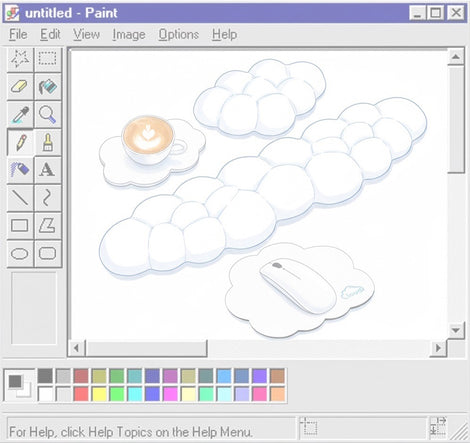




Why Some Ergonomists Dislike Wrist Rests — And Why Others Still Recommend Them
Wrist rests are one of the most misunderstood ergonomic accessories in modern desk setups. Some ergonomists strongly discourage them, warning about nerve compression and poor typing posture, while others still recommend them for tall mechanical keyboards and long work sessions.

So who is right?
The answer is more nuanced than most articles suggest. The real ergonomic debate is not simply whether wrist rests are “good” or “bad,” but how they interact with keyboard height, typing posture, wrist extension, static pressure, gaming habits, and workstation design.
Why Wrist Rests Became Controversial
Wrist rests became popular because modern keyboards gradually became taller. Early laptop-style and low-profile keyboards generally kept the hands close to desk level, but mechanical keyboards reintroduced elevated keycaps, thicker cases, and steeper typing angles.
As keyboard front heights increased, users naturally began searching for ways to reduce wrist extension and forearm fatigue. Wrist rests appeared to offer a simple solution.
However, ergonomists soon noticed a recurring problem:
That distinction completely changed the ergonomic outcome.
Instead of reducing strain, improper wrist rest usage sometimes increased localized pressure on the carpal tunnel area, especially when combined with poor desk height and excessive wrist extension.
This is why the ergonomic community became divided.
One Side Argues
Wrist rests increase compression pressure and encourage static posture.
The Other Side Argues
Properly used palm support can reduce shoulder fatigue and improve comfort with tall keyboards.
The Biggest Misunderstanding: Wrist Rest vs Palm Rest
Many ergonomists believe the term “wrist rest” is itself misleading.
In practice, most ergonomic supports are intended to contact the padded heel of the palm rather than the delicate underside of the wrist.
| Area | Contains | Pressure Tolerance |
|---|---|---|
| Underside of Wrist | Median nerve, tendons, blood vessels | Lower |
| Palm Heel | Thicker soft tissue and muscle padding | Higher |

This distinction matters because the carpal tunnel sits close to the skin surface at the wrist. Continuous pressure in this area may increase localized compression and discomfort during long typing sessions.
This also explains why many ergonomic guides recommend hovering while actively typing and only making light contact during pauses.
Why Some Ergonomists Dislike Wrist Rests
The criticism against wrist rests is usually centered around four biomechanical concerns:
1. Contact Stress
Continuous pressure against the underside of the wrist may irritate sensitive structures over time.
2. Wrist Extension
A wrist rest that is too tall may bend the wrist upward instead of keeping it neutral.
3. Static Posture
Anchoring the hands reduces natural movement and increases sustained loading.
4. Reduced Movement Variety
Pivoting from the wrist instead of moving from the elbow and shoulder may increase repetitive strain.
One important concept many articles overlook is that ergonomic risk rarely comes from a single factor.
Problems usually appear when several conditions combine together:
- Tall keyboard
- High desk surface
- Extended typing duration
- Excessive wrist extension
- Static loading
- Poor chair height
- Anchored typing posture
This is why some people use wrist rests for years without problems while others develop discomfort quickly.
Static Loading: The Hidden Ergonomic Problem
One of the most important ergonomic concepts rarely explained in depth is static loading.
Static loading occurs when muscles or tissues remain under continuous low-level tension without enough movement variation.
Even relatively small amounts of pressure can become problematic when maintained for long periods.
This is why:
- Hovering can fatigue the shoulders
- Anchoring can compress the wrists
- Long static gaming sessions may create different risks than dynamic typing
The best ergonomic setups usually balance:
- Neutral wrist positioning
- Reduced shoulder elevation
- Movement variability
- Minimal contact stress
Why Keyboard Height Changes Everything
One of the biggest missing pieces in most wrist rest discussions is keyboard front height.
The taller the front edge of a keyboard becomes, the more likely users are to extend their wrists upward to reach the keys.

| Keyboard Type | Typical Front Height | Need for Wrist Support |
|---|---|---|
| Apple Magic Keyboard | Very Low | Rarely needed |
| Laptop Keyboard | Low | Usually unnecessary |
| MX-style Low Profile Keyboard | Moderate | Sometimes helpful |
| Mechanical Keyboard | Tall | Often beneficial |
| High-Profile Custom Keyboard | Very Tall | Frequently recommended |
This is why blanket statements like “all wrist rests are bad” are often too simplistic.
The keyboard itself may be the larger ergonomic variable.
Floating Hands vs Supported Hands
Many ergonomic discussions eventually lead to a debate between floating typing and supported typing.
| Method | Advantages | Potential Drawbacks |
|---|---|---|
| Floating Hands | Less wrist pressure, more mobility | More shoulder and forearm fatigue |
| Supported Palms | Reduced upper-arm tension | Potential contact stress |
Professional typists often use dynamic floating movement naturally, but many office workers unconsciously anchor their wrists while working.
Neither method is universally perfect.

The best approach usually depends on:
- Keyboard height
- Typing intensity
- Desk height
- Arm support
- Duration of use
- Gaming vs office tasks
Mechanical Keyboards Changed the Ergonomic Debate
The resurgence of mechanical keyboards dramatically changed wrist rest discussions online.
Modern custom mechanical keyboards often feature:
- Thicker keyboard cases
- High-profile keycaps
- Steeper front edges
- Elevated typing surfaces
As a result, many users began experiencing increased wrist extension compared to low-profile laptop keyboards.
This is one reason wrist rests became heavily associated with gaming and enthusiast keyboard culture.
This context is frequently missing from traditional ergonomic articles.
When Wrist Rests Can Actually Help
Although some ergonomists discourage wrist rests entirely, many ergonomic specialists still acknowledge that properly used palm support can improve comfort in specific workstation setups.
The key difference is how the support is used.
Situations Where Wrist Rests May Help
- Tall mechanical keyboards with elevated front edges
- Long coding or office sessions with sustained hovering fatigue
- Gaming setups where the hands pause between actions
- Users with elevated shoulders caused by unsupported typing
- Deep desks where forearm support is limited
- Standing desk setups with imperfect height alignment
In these cases, a properly sized palm support may reduce upper-body tension by allowing the forearms and shoulders to relax slightly during pauses.
However, this benefit disappears if the user:
- Presses the wrists downward continuously
- Uses an excessively soft cushion that collapses unevenly
- Raises the wrist above the keyboard front edge
- Maintains static pressure for extended periods
Why Low-Profile Keyboards Usually Need Wrist Rests Less
One of the most important ergonomic changes of the last decade is the rise of low-profile keyboards.
Modern laptop-style keyboards dramatically reduced front keyboard height compared to traditional mechanical designs.
This changed wrist posture naturally.
| Keyboard Style | Wrist Extension Risk | Typical Wrist Rest Need |
|---|---|---|
| Ultra-thin laptop keyboard | Low | Very uncommon |
| Apple-style keyboard | Low | Rarely needed |
| Scissor-switch desktop keyboard | Moderate | Occasionally helpful |
| Traditional mechanical keyboard | Higher | Commonly used |
This is why some users moving from laptops to mechanical keyboards suddenly feel wrist discomfort for the first time.
The keyboard itself changed the wrist angle.
Many ergonomic articles discuss wrist rests without acknowledging this major shift in keyboard design trends.
Common Wrist Rest Mistakes

In many cases, the wrist rest itself is not the primary problem — the usage pattern is.
Typing While Leaning
Constantly pressing body weight onto the wrist rest increases contact pressure and reduces movement.
Using a Rest That's Too Tall
If the support sits higher than the keyboard front edge, wrist extension often becomes worse.
Choosing Extremely Soft Foam
Overly soft materials may collapse unevenly and create localized pressure points.
Anchoring During Gaming
Static mouse and keyboard anchoring during gaming sessions can increase repetitive strain exposure.
Ignoring Desk Height
Poor chair and desk positioning often create more ergonomic problems than the wrist rest itself.
Using One With Low-Profile Keyboards
Adding height unnecessarily may force the wrists upward instead of keeping them neutral.
How To Use a Wrist Rest Correctly
Proper wrist rest usage is less about “resting” and more about maintaining neutral alignment while minimizing sustained pressure.
Basic Ergonomic Guidelines
| Recommendation | Reason |
|---|---|
| Keep wrists relatively straight | Reduces excessive extension and awkward angles |
| Use palm contact instead of wrist pressure | Distributes pressure across thicker tissue |
| Choose a height near keyboard front edge | Helps maintain more neutral alignment |
| Move from elbows and shoulders | Reduces repetitive wrist pivoting |
| Take regular micro-breaks | Reduces static loading accumulation |
| Keep elbows near 90 degrees | Improves overall ergonomic positioning |
The “Hover During Typing” Principle
Many ergonomists recommend lightly hovering the hands while actively typing, then relaxing onto the palm support between bursts of activity.
This creates a healthier balance between:
- Mobility
- Support
- Pressure reduction
- Muscle recovery
For many users, this hybrid approach works better than either fully floating or fully anchoring the wrists all day.
Recommended Ergonomic Videos
The following videos provide useful demonstrations of wrist positioning, hovering technique, and ergonomic typing posture:
The Real Ergonomic Problem Most People Ignore
Many users spend hours researching wrist rests while overlooking the larger ergonomic variables affecting their workstation.
In reality, wrist discomfort is often caused by an entire chain of setup issues:
- Desk too high
- Chair too low
- Keyboard angle too steep
- Arms unsupported
- Excessive typing force
- Poor movement habits
- Long uninterrupted sessions
This is why two people can use the same wrist rest and have completely different experiences.
Focusing exclusively on accessories without fixing workstation positioning rarely solves the root cause of discomfort.
Final Thoughts
Some ergonomists dislike wrist rests because improperly used supports can increase contact stress, encourage static posture, and worsen wrist extension.
At the same time, many users with tall mechanical keyboards still benefit from carefully designed palm support when it helps reduce shoulder fatigue and maintain a more neutral typing position.
The real ergonomic question is not:
Instead, the better question is:
That distinction is why the ergonomic debate around wrist rests continues today.
Frequently Asked Questions
Do wrist rests cause carpal tunnel syndrome?
Wrist rests alone do not directly cause carpal tunnel syndrome, but excessive pressure on the underside of the wrist combined with awkward posture and prolonged static loading may increase discomfort and irritation risk.
Why do some ergonomists dislike wrist rests?
Some ergonomists believe wrist rests encourage static posture, increase contact stress, and promote wrist extension when used incorrectly.
Should your wrists touch the wrist rest while typing?
Many ergonomic specialists recommend hovering lightly while actively typing and using palm support mainly during pauses instead of continuously planting the wrists.
Are wrist rests necessary for mechanical keyboards?
Tall mechanical keyboards often increase wrist extension, which is why many users find palm support more comfortable compared to low-profile keyboards.
Why do low-profile keyboards usually feel more comfortable?
Low-profile keyboards reduce front keyboard height, which naturally decreases wrist extension and often reduces the need for additional support.
What height should a wrist rest be?
Most ergonomic guidelines recommend a wrist rest height close to the front edge height of the keyboard rather than significantly higher.
References & Further Reading
The following resources were consulted to ensure biomechanical accuracy, ergonomic terminology, and balanced discussion around wrist rests and typing posture.
- Canadian Centre for Occupational Health and Safety — Wrist Rests
- ErgoPlus — Wrist Rests and Carpal Tunnel Syndrome
- Boyne Ergonomics — Wrist Rests: Friend or Foe?
- Orthopedics Rhode Island — Wrist Rest Risks
- Vitrue Health — Are Wrist Rests Good or Bad?
- OSHA Computer Workstation Ergonomics Guide
- Mayo Clinic — Carpal Tunnel Syndrome Overview