



What Is the Best Material for a Desk Mat? — Ultimate 2026 Guide (Choose, Clean & Maintain)
An in-depth, practical guide covering material trade-offs, mouse performance, ergonomics, cleaning steps for each material, stain removal, maintenance schedules, buying checklist and FAQs. Includes images, a how-to video, and references
TL;DR — Quick answer
There is no single universal “best” desk mat material — the right choice depends on how you use your desk. For most users, fabric/microfiber strikes the best balance between mouse control, comfort and cost. If you prioritize aesthetics and easy surface cleaning, choose leather. If sustainability is a priority, consider cork or wool felt. For messy or shared workspaces, silicone/rubber is the low-maintenance winner.
Pro tip: If you split tasks between competitive gaming and handwriting, combine a full-desk fabric pad for mouse precision with a small wooden or laminated writing board for paper tasks.
Why desk mat material matters
At first glance, a desk mat might seem like a cosmetic accessory. In reality, material choice impacts multiple practical outcomes:
- Mouse tracking & precision: Surface micro-texture influences how optical sensors read movement, affecting speed and control.
- Comfort & wrist support: Cushioning, edge finish and thickness affect wrist posture during long sessions.
- Desk protection: Porous vs. sealed surfaces respond differently to liquids, heat and scratches.
- Cleaning & hygiene: Some materials can be soaked and washed; others require delicate spot cleaning.
- Longevity & aesthetics: Natural materials often age with character; synthetics may look new longer but can peel or yellow.
Choosing the wrong material can cause frustration (poor sensor behavior), extra maintenance time, or early replacement costs. This guide helps you match material properties to real-world needs.

Quick answer — best picks by priority
Best overall Fabric / Microfiber — best balance of precision, comfort, and price for most users.
Best premium Top-grain Leather — premium look, easy wipe-clean, ages well when conditioned.
Best eco Cork / Wool Felt — renewable, biodegradable, cozy aesthetic.
Best low maintenance Silicone / Rubber — waterproof and easy-to-clean for shared or messy desks.
Material comparison table (at-a-glance)
| Material | Mouse Performance | Durability | Maintenance | Sustainability | Best for |
|---|---|---|---|---|---|
| Fabric / Microfiber | High control (slower glide) | Good (edge fray risk) | Spot/hand-wash; air dry | Low–medium | Gamers, designers |
| Top-grain Leather | Medium (consistent) | Very good; ages well | Wipe; occasional conditioning | Medium–low | Executive desks, premium setups |
| PU / Vegan Leather | Medium | Varies (cheap PU peels) | Wipe; avoid solvents | Plastic-based | Style-focused budgets |
| Wool Felt | Low–medium | Good | Lint-roll; spot-clean | High (natural) | Home offices, quiet workspaces |
| Cork | Medium | Good but may compress | Wipe; avoid soaking | High (renewable) | Eco-conscious users |
| Silicone / Rubber | Medium–fast | High | Soap & water | Low (synthetic) | Messy desks, labs |
| Wood / Laminated | Fast (hard surface) | Very high | Wipe; oil occasionally | Depends on sourcing (FSC good) | Writers, sketchers, studios |
Material deep-dive — pros, cons and subtle trade-offs
Fabric / Microfiber
 High-thread-density cloth pads are built for precision and comfort.
Fabric desk mats — commonly called cloth or microfiber pads — are woven surfaces normally backed with rubber to prevent slip. High thread density and a tight, uniform weave make the surface predictable for modern optical sensors, delivering precise tracking for gaming and design tasks.
The fabric surface provides micro-friction which slows fast racing movements and gives you fine control — this is why many competitive gamers prefer cloth pads for flick accuracy and controlled micro-adjustments. However, the same porosity that helps with control also allows liquids and oil to penetrate, so they require routine cleaning and careful stain management.
Durability tips: pick mats with stitched hems to prevent fraying and a thick non-slip base to avoid peaking or curling at edges.
Leather (Genuine & PU)
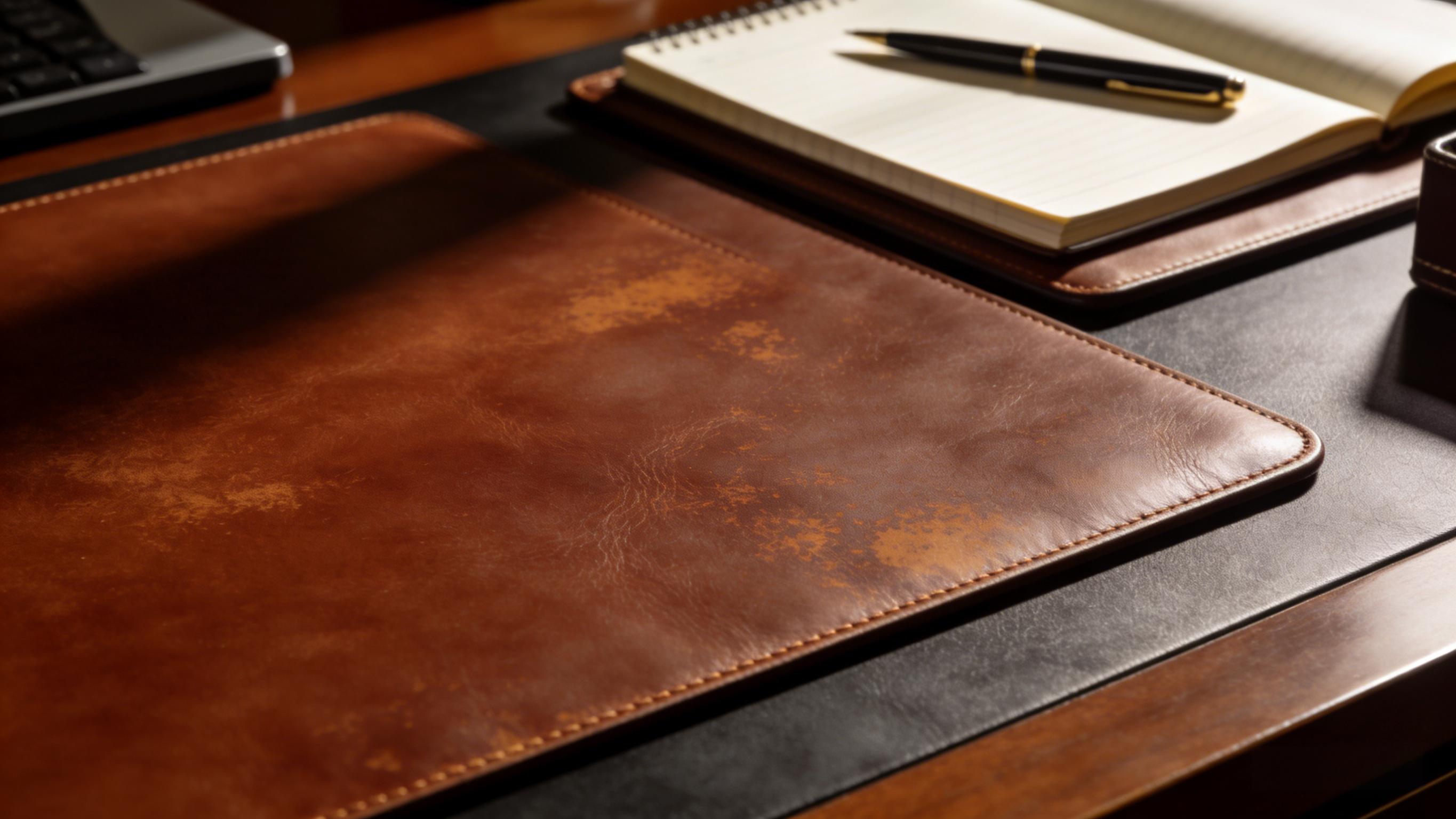
Top-grain leather is durable and builds a patina with use.
Leather pads present a smooth, sealed surface that repels most liquids and wipes clean easily. They communicate a premium aesthetic and pair well with minimalist, executive environments. Genuine top-grain leather will develop a patina — a change in color and texture — which many users regard as a desirable sign of aging. PU leather is an affordable alternative that mimics appearance, but cheaper formulations can delaminate or peel over time.
From a care standpoint, leather prefers gentle maintenance: dry dusting and occasional conditioning. Avoid solvent-based cleaners and prolonged exposure to sunlight, which can dry and crack leather.
Longevity tip: treat leather with a neutral leather conditioner every 6–12 months to retain suppleness and prevent cracking.
Felt & Cork
 Felt offers a soft padding, cork adds natural grip and warmth.
Felt — often wool-blend — and cork are favored for sustainable and cozy aesthetics. Felt is soft, offers noise damping and protects delicate surfaces from scratches. Cork is naturally anti-microbial, renewable and offers moderate cushioning with a grippy surface.
Both materials require gentler care. Felt should be lint-rolled and spot-cleaned; cork can be wiped but should not be soaked. These materials are best for office environments where mouse speed is not the highest priority.
Sustainability note: cork harvesting does not kill the tree, making it an eco-friendly choice; wool felt from responsibly raised sheep with clear sourcing is also a strong sustainable pick.
Silicone / Rubber
 Silicone mats tolerate spills and are simple to clean.
Silicone and thermoplastic rubber mats are non-porous, waterproof and easy to clean with simple soap and water. They are extremely durable against spills, food crumbs and lab-like environments. Their downside is more utilitarian aesthetics and sometimes a slightly tacky feel under hands.
Use cases: perfect for shared office kitchens, maker benches, and areas where frequent wiping is expected.
Wood / Laminated Pads
 Wood pads are great for writing and sketching when sealed properly.
Wood provides a hard, flat surface ideal for writing and sketching. With a quality finish, wooden pads resist scratches and look premium. However, wood is heavier and less portable. If choosing wood, prefer sealed or lacquered finishes that defend against moisture. Re-oiling may be necessary for natural, unfinished surfaces.
Mouse performance explained: how surface micro-texture affects tracking
Modern optical and laser sensors emit light and read the reflected pattern off the desk surface to register movement. Two characteristics matter most:
- Micro-texture/roughness: provides features the sensor can detect. Very smooth surfaces provide fewer features and may produce jitter at low speeds, while excessively rough surfaces create variable friction that limits fluid movement.
- Uniformity: an engineered, uniform surface gives predictable sensor feedback across the entire pad, critical for muscle-memory accuracy in gaming and design work.
In practice, fabric pads tend to offer the optimal balance — they provide enough micro-texture for consistent tracking while keeping friction moderate for control. Hard pads (wood/laminate) give faster glide, preferred for fast, sweeping movements.
If you’re a competitive gamer: look for pads marketed as “sensor-optimized” or “engineered for optical tracking” and check the pad’s thread density and material finish.
How to clean a desk mat — full step-by-step playbook (by material)
Always check the manufacturer's care recommendations first. Brands occasionally use bonded layers or adhesives that change how you should clean the product.
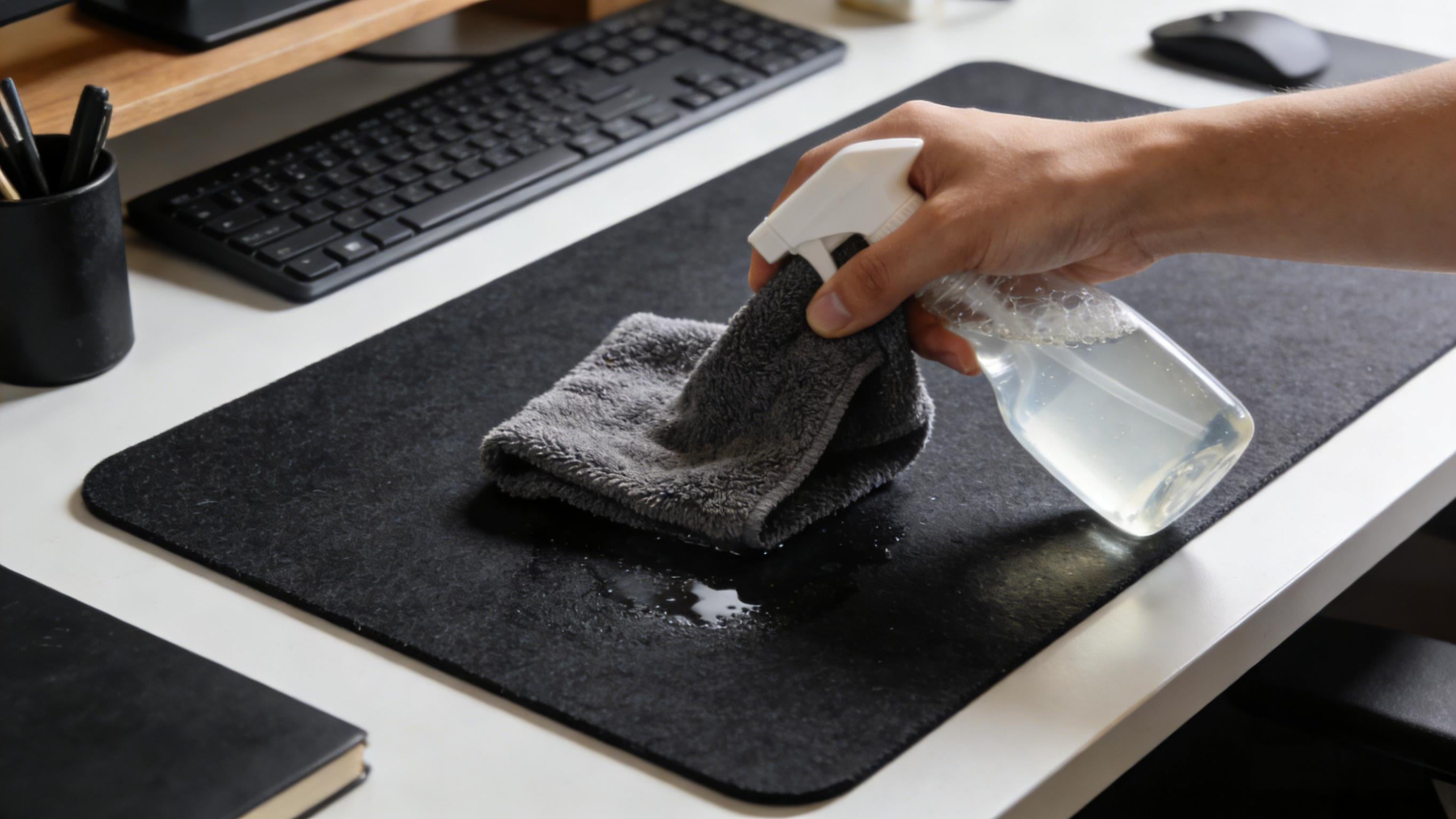
Universal pre-check
- Read and keep the manufacturer’s care instructions and warranty information.
- Test any cleaner on a small inconspicuous corner to confirm colorfastness.
- Remove loose debris with soft brush, compressed air, or vacuum (brush attachment).
Fabric / Microfiber — daily, weekly & deep clean
Daily: Shake or vacuum to remove dust and crumbs. Wipe with a dry microfiber cloth if needed.
Weekly: Spot clean with mild dish soap and a damp cloth; blot, don’t rub.
Monthly deep clean: If the manufacturer allows submersion, soak in warm water (10–15 minutes) with a few drops of mild dish soap. Gently scrub with a soft brush in circular motions, rinse thoroughly until the water runs clear, press between towels to remove excess water, and air-dry flat away from direct sunlight. Avoid wringing or machine drying which can deform edges and foam backing.
Leather (Genuine)
Daily: Dust with a dry microfiber cloth.
Spot cleaning: Use a barely damp cloth and mild soap; do not saturate leather.
Maintenance: Condition with a neutral leather conditioner every 6–12 months to keep oils replenished and prevent cracking. Avoid alcohol or solvent cleaners which strip natural oils.
PU / Vegan Leather
Wipe with warm soapy water and dry immediately. Avoid strong solvents and abrasive cleaners which can wear protective coatings and promote peeling.
Felt / Wool
Regularly lint-roll or vacuum. For small spots, blot with cold water and mild soap; do not soak as wool can felt and shrink. Rotate occasionally to avoid pressure wear marks from peripherals.
Cork
Wipe with a damp cloth for regular care. For stubborn marks use a mild soapy solution, then rinse quickly and dry. Avoid long-term moisture exposure and direct sunlight which can dry and degrade cork.
Silicone / Rubber
Wash with warm water and mild soap; rinse and air-dry. These materials tolerate the most aggressive cleaning and are the best choice near food/drink or shared environments.
Wood / Laminated
Wipe with a slightly damp cloth and dry immediately. For unfinished wood apply a suitable oil or conditioner periodically; for finished or laminated surfaces use cleaners recommended for wood furniture. Never soak wood pads.
Stain removal cheatsheet — targeted techniques
Below are common stains and how to approach them without causing further damage.
- Grease or oils: Sprinkle baking soda or cornstarch to absorb oil; let sit 10–20 minutes, vacuum up, then spot-clean with mild soap and water. For leather, use a leather-specific degreaser sparingly.
- Coffee / tea: Blot immediately. For fabric, use warm soapy water; for cork or leather, wipe quickly and dry. Avoid scrubbing which can spread pigment.
- Ink: For fabric, blot with isopropyl alcohol (test first). For leather, professional leather cleaner is safer — avoid DIY alcohol on delicate hides.
- Mold or mildew (rare): Clean with a diluted vinegar solution on non-sensitive materials (test first), then dry thoroughly in sunlight if material allows. For organic materials (felt or cork), consider replacement if mold has deeply penetrated.
- Food residues: Scrape gently with a plastic card, then clean with mild soap and water.
When treating stains, blot instead of rubbing. Rubbing spreads and can grind pigments deeper into fibers or abrade finishes.
Maintenance schedule — practical and repeatable
Implementing a simple maintenance cadence keeps mats hygienic and extends lifespan. Use the checklist below to set reminders.
- Daily (1–5 mins): Wipe crumbs/dust, quick spot check for spills.
- Weekly (10–15 mins): Vacuum or lint-roll, wipe edges and base to ensure grip, inspect seam/stitch integrity.
- Monthly (30–60 mins): Deep clean fabric pads or spot-clean stubborn marks; for leather, wipe thoroughly and let dry; for cork, inspect for compression or edge delamination.
- Bi-Annual / Annual: Condition leather, oil wood surfaces, and rotate or replace heavily worn pads.
Common mistakes — how to avoid them
- Machine washing glued mats: Adhesives can fail and layers delaminate — never machine-wash unless the manufacturer permits it.
- Using alcohol on leather: Alcohol strips oils and accelerates cracking—test cleaners first and prefer leather-specific products.
- Wringing fabric mats: Wringing distorts weave and backing — press between towels instead.
- Leaving wet mats on wood desks: Moisture transfer can damage desk finish—always dry mats separately on towels or racks.
- Ignoring edge quality: Raw-cut edges fray quickly; stitched hems are better long-term.
Buying checklist — 11 practical checks before you buy
- Material clarity: Confirm whether the top is fabric, leather, PU, cork, felt, silicone or wood.
- Backing: Rubber, cork, or adhesive-backed? Look for high-grip rubber backing for slip resistance.
- Edge finish: Stitched hems are preferred over raw-cut edges.
- Stitching & construction: Check for reinforced stitching and laminated seams near edges.
- Cleaning instructions: Does the product allow hand-washing, submersion, or is it wipe-only?
- Warranty & returns: Look for at least a 1-year warranty on workmanship and materials.
- Dimensions: Ensure it fits keyboard+mouse and leaves desk area for other tools; consider full-desk pads for multi-device setups.
- Thickness: Thin pads are better for writing; thicker pads offer more wrist cushioning.
- Source transparency: For sustainability, check FSC certification (wood), cork origin, or veg-tan leather statements.
- Price vs expected life: Higher upfront cost for quality often lowers lifetime replacement costs.
- Reviews & real photos: Inspect user photos for real-world wear and color accuracy.
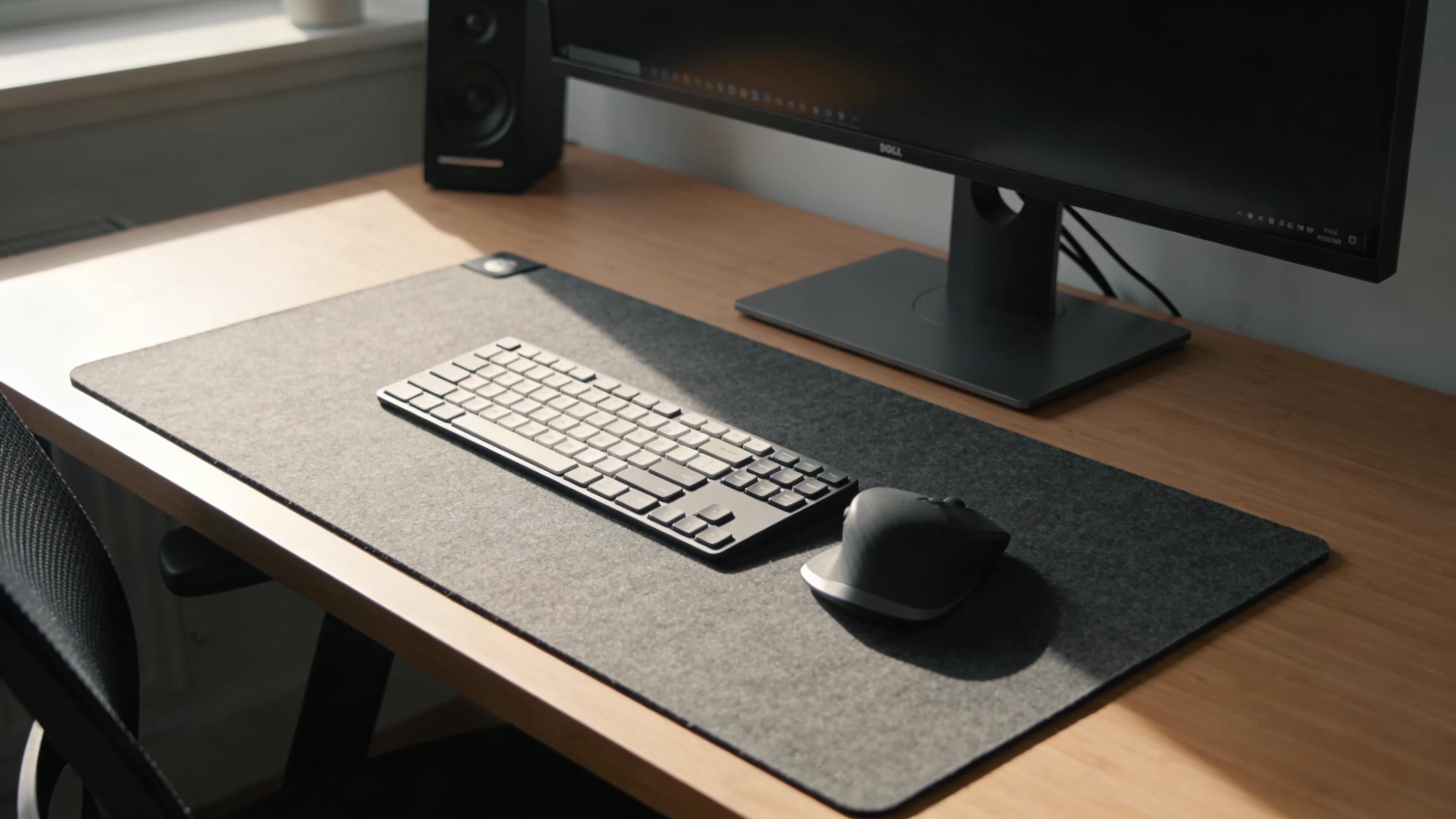
Instructional video — How to clean a desk mat properly
Short walkthrough: stain removal, hand washing a fabric pad, and leather care.
FAQ
What is the best material for a desk mat?
For most people, fabric / microfiber offers the best combination of mouse control, comfort and value. However, if aesthetics or wipe-ease are priorities, leather is a strong alternative. Choose based on your primary tasks.
How often should I clean my desk mat?
Light cleaning weekly is recommended; deep-clean fabric mats monthly if used heavily. Leather should be wiped frequently and conditioned every 6–12 months.
Can I machine wash my desk mat?
Only if the manufacturer explicitly states the mat is machine-washable. Many mats use glued layers or leather tops that will delaminate if machine-washed.
Will a desk mat help with wrist pain?
A desk mat with padded wrist rest can ease pressure during breaks, but wrist pain prevention depends on an ergonomic setup: proper chair height, keyboard placement, monitor level, and regular breaks.
References
The following references were consulted to ensure accuracy, completeness, and best practices. This article is independently written and expanded based on material science principles, ergonomics guidance, and manufacturer cleaning recommendations.
- Sycamore Custom – Desk Mat Materials Overview
https://sycamotrecustom.com/blogs/leather/best-desk-mats-for-office-use - DHgate Smart – Leather vs Fabric Desk Pads
https://smart.dhgate.com/leather-vs-fabric-desk-pad-does-the-material-really-matter-for-comfort-performance - Das Keyboard – How to Clean Mousepads, Desk Mats & Wrist Rests
https://www.daskeyboard.com/blog/how-to-clean-mousepad-desk-mat-wrist-rest - Lofty Furniture – How to Clean a Desk Mat
https://loftyfurniture.com/blog/how-to-clean-desk-mat/ - Deskr – Complete Guide on How to Clean Your Desk Mat
https://deskr.co/blogs/news/complete-guide-on-how-to-clean-your-desk-mat-and-keep-it-looking-brand-new