



How to Hide Cables on a Desk (Without Drilling) — The Complete No-Damage Guide
TL;DR — Quick answer
If you need to hide desk cables without drilling: choose a method by desk placement and power needs. Use clamp/clip trays for multi-device desks, adhesive raceways for light, neat lines, and vertical Velcro routing + sleeves for desks in the middle of a room. Always leave ventilation around power bricks and avoid daisy-chaining power strips.
Short install timeline: measure (5–10 min), buy (same day/online), install (5–30 min depending on method).
Why this guide is different
Many “hide cables” articles list a handful of solutions. This guide gives you a practical decision framework, quantified comparisons, safety-first guidance, a printable checklist, and step-by-step installation instructions that are renter-friendly and reversible. Use it to pick the right method quickly and to avoid common mistakes that cause damage, poor performance, or safety hazards.
Which method should you choose? — Decision framework
Answer the short questions below to identify the fastest, safest solution for your setup.
-
Is your desk placed against a wall or in the center of the room?
- Against a wall: adhesive raceway or clamp tray along the back edge is often best.
- Center of room: vertical routing along a leg (sleeve + Velcro) is usually the safest renter-friendly option.
-
Are most cables low-power (USB, monitor) or high-power (PC PSU, chargers)?
- Low-power: raceways or sleeves are fine.
- High-power: prioritize trays with airflow and avoid fully enclosed boxes.
-
Do you need zero-residue when you move out?
- Yes: choose clamps, Velcro wraps, removable adhesive strips (e.g., 3M Command™ style).
- No: permanent mounts give the best durability.
-
Priority: aesthetics, durability, or cost?
- Aesthetics: paintable raceways + braided sleeves.
- Durability: clamp trays and professional under-desk trays.
- Cost: zip ties and sleeves are cheapest and fast to install.
Quick recommendation: for most renters with a typical home office, start with vertical routing + a braided sleeve + Velcro (center desks) or an adhesive raceway (against wall). If you have multiple heavy devices, use a no-drill clamp tray under the desk.
Step-by-step: Hiding desk cables without drilling
Each method below includes what it is, when to use it, required materials, exact steps, estimated time, and renter notes.
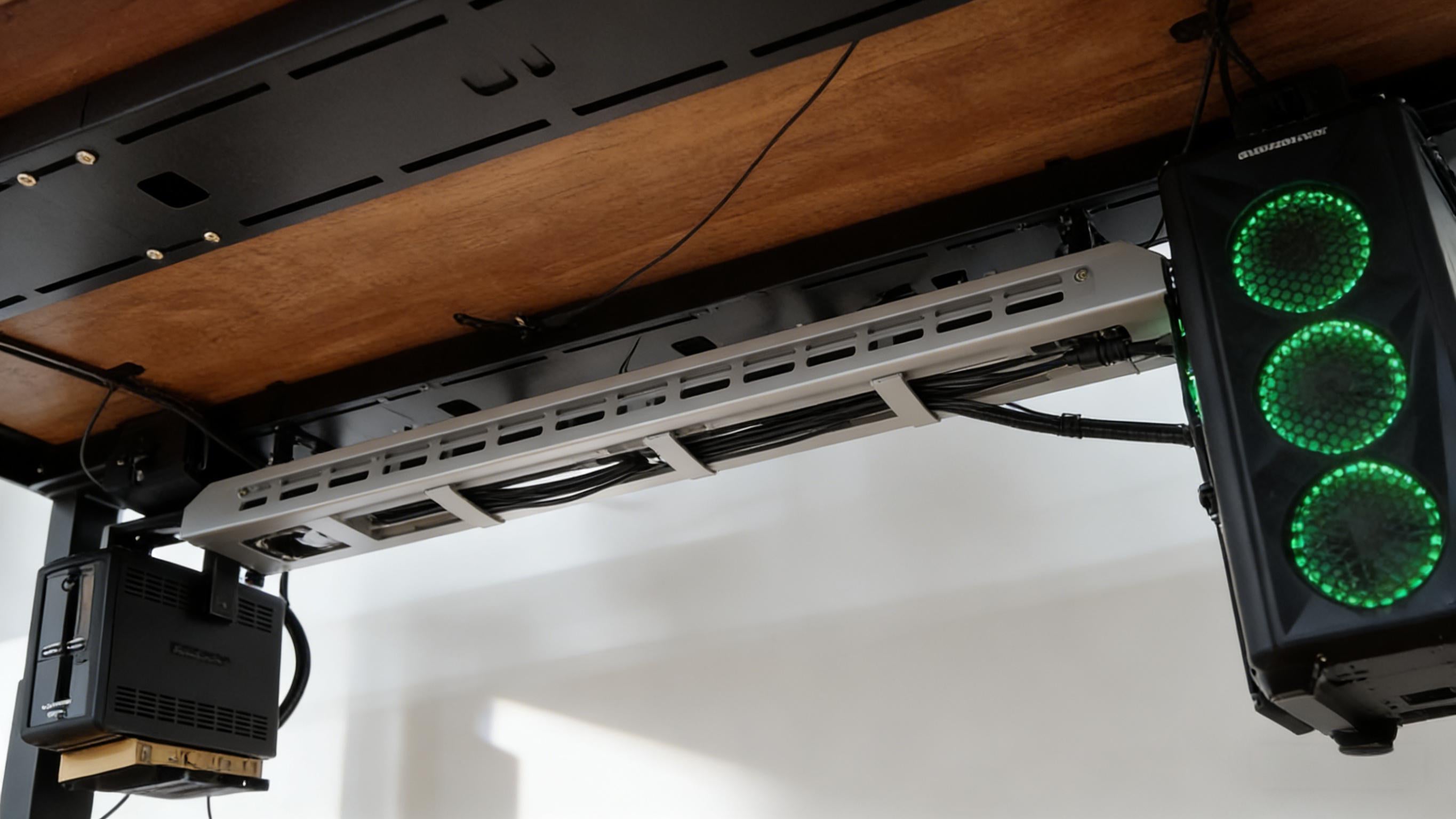
Method A — Clamp / Clip Under-desk Tray (Best for multiple heavy cables)
What: A small tray or wire basket that clamps to the underside of the desk edge (no screws).
When to use: Multi-device setups (desktop PC, monitor(s), printer, audio gear) where capacity and durability are important.
Materials
- No-drill clamp tray or under-desk basket (adjustable clamps, rubber pads)
- Velcro straps and zip ties
- Measuring tape
- Optional: cable labeling tags
Estimated time
~15–30 minutes
Installation steps
- Measure: measure the desk width and the distance from the desk back edge to the outlet. Confirm tray length fits without interfering with drawers.
- Place the tray: position the clamp where it avoids structural interference. Use protective rubber pads to protect desk finish.
- Secure clamps: tighten clamps by hand per product instructions (don’t overtighten to prevent denting).
- Route & group cables: group cables by function (power, display, USB) and use Velcro or zip ties every 12–18 in (30–45 cm).
- Position power strip/adapter: place the power strip in the tray ensuring bulky adapters have room and ventilation.
- Final check: power on devices and check for undue heat; tidy any visible cable length with a sleeve or wrap.
Renter note: choose clamp trays with rubber pads and hand-tightened screws to avoid damage.
Method B — Adhesive Cable Raceway / Channel (Best for neat edge routing)
What: Low-profile plastic raceways that snap closed and stick to the underside of a desk edge or to a wall.
When to use: Light cables (chargers, monitor cables) when you want a clean, paintable line from desk to outlet.
Materials
- Adhesive cable raceway (paintable if needed)
- High-quality removable mounting strips (for renters)
- Isopropyl alcohol & cloth (surface prep)
- Scissors or miter cutter
Estimated time
~10–20 minutes
Installation steps
- Prepare surface: clean the mounting surface with isopropyl alcohol and allow to dry.
- Measure & cut: pre-fit the raceway along the route and cut to length.
- Apply adhesive: apply the manufacturer tape or removable strips, press firmly for 30 seconds to improve initial adhesion.
- Insert cables: lay cables in the channel and snap the cover closed.
- Paint if needed: if the raceway is paintable, use a light coat of paint to match the wall or desk color.
Note: textured surfaces or repeated removals can reduce adhesion. Test a small patch first.
Method C — Vertical Routing & Sleeves (Best for desks placed in the middle of a room)
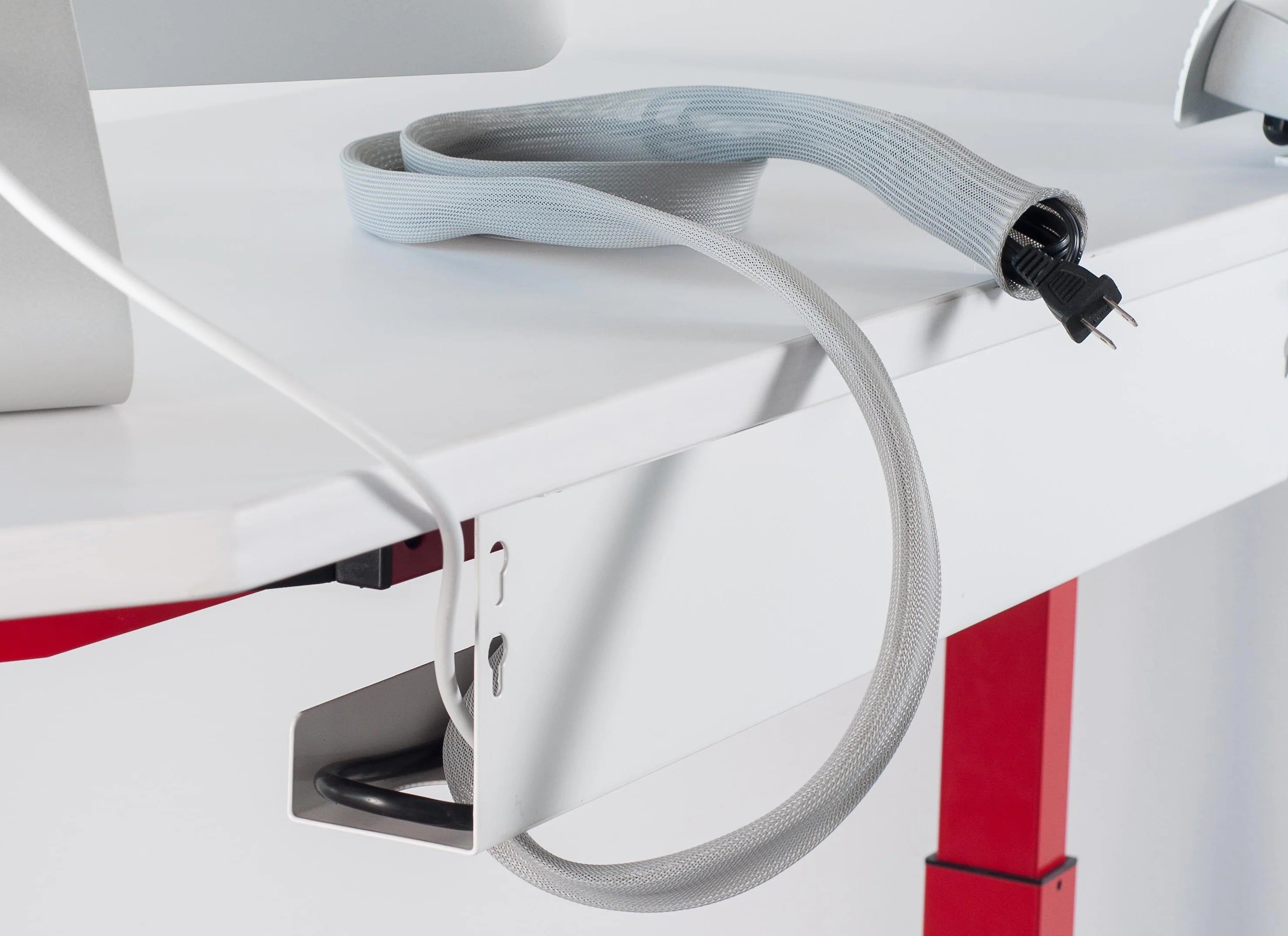
What: Bundle cables in a fabric or braided sleeve and route vertically down a desk leg with Velcro ties and a low-profile anchor at the floor.
When to use: desks not adjacent to a wall or when you want a renter-friendly, reversible solution.
Materials
- Braided cable sleeve (expandable)
- Velcro cable wraps
- Removable adhesive floor anchor or cable tie anchor
- Flat-plug surge protector or low-profile wall plug
Estimated time
~5–15 minutes
Installation steps
- Group cables: insert cables into the braided sleeve or zip them temporarily to create one tidy bundle.
- Attach at desk: secure the top of the sleeve to the underside of the desk with a clamp or Velcro wrap.
- Run down leg: wrap Velcro ties every 12–18 inches to secure the sleeve to the leg.
- Anchor at floor: use a removable adhesive anchor to hold the cable exit close to the baseboard or floor and route to the outlet.
Pro tip: use a flexible sleeve that allows adding or removing cables without cutting.
Safety, heat & power etiquette — what to absolutely avoid
Hiding cables is useful — but safety must come first. Below are concrete safety rules and checks to prevent overheating or electrical hazards.
Key safety rules
- Do not fully enclose heat-generating power bricks in airtight boxes. Adapters create heat; they need airflow. If an enclosure is used, it must be ventilated with gaps or perforations.
- Avoid daisy-chaining power strips (connecting multiple strips end-to-end). Use a single properly rated strip per outlet for high loads.
- Check power strip ratings before plugging in multiple devices — add the wattage of each device and ensure the strip’s capacity is not exceeded.
- Inspect periodically: once installed, feel power strips & adapters after 10–30 minutes for warmth. If warm/hot, relocate to ventilated space.
- Support flexible cords: prevent strain at connectors by supporting cables and avoiding tight bends (strain leads to insulation wear).
Simple safety test (2 minutes)
- Switch on all connected devices and let them idle for 15 minutes.
- Carefully feel each adapter and the power strip — a warm strip is normal; hot is not. If hot, unplug and relocate adapter to ventilated area.
- Confirm that any enclosure used has airflow — if not, remove or modify with ventilation.
Important: if you detect sparks, unusual smells, or persistent overheating, unplug devices and consult a qualified electrician.
Cost, time & durability comparison
| Method | Cost (USD) | Install time | Durability | Renter-friendly |
|---|---|---|---|---|
| Clamp tray (no-drill) | $15–$60 | 15–30 min | High | High |
| Adhesive raceway | $8–$30 | 10–20 min | Medium | Medium |
| Braided sleeve + Velcro | $5–$20 | 5–15 min | Medium | High |
| Cable box (closed) | $15–$40 | 5–10 min | Medium | High |
Use the table above to match budget and durability to your scenario. If in doubt, choose the most reversible option (Velcro + sleeve or clamp tray) for renters.
Materials & shopping specs — what to buy (and what to avoid)
Below are product attributes to check when buying. These help you select items that meet capacity, reversibility and safety needs.
Clamp / tray
- Clamp type: adjustable clamp with rubber pad; hand-tighten screws to avoid damage.
- Capacity: aim for 3–6 kg for multi-device setups (check product specs).
Adhesive raceway
- Adhesive: removable adhesive or manufacturer-provided adhesive — check compatibility with painted and textured walls.
- Material: paintable PVC for matching decor.
Braided sleeve & Velcro
- Sleeve diameter: choose expandable sleeves (0.5"–2" range depending on bundle size).
- Velcro ties: reusable hook-and-loop strips rated for cable bundling.
Power strips & surge protectors
- Prefer UL-listed (or equivalent) surge protectors with clear wattage/amperage ratings.
- Choose a flat plug for tight spaces behind furniture.
Printable checklist — copy & paste or print this section
Pre-installation
- [ ] Measure desk width and distance to outlet
- [ ] Count devices (list wattage for high-power items)
- [ ] Choose method (clamp tray / raceway / sleeve)
- [ ] Gather materials: tray, raceway, Velcro, braided sleeve, zip ties
Installation
- [ ] Clean mounting surfaces (isopropyl alcohol)
- [ ] Install clamp, raceway or sleeve per steps above
- [ ] Group cables and secure with Velcro/zip ties
- [ ] Secure power strip in ventilated position
Safety check
- [ ] Adapters & power strip feel warm (not hot) after 15 minutes
- [ ] No daisy-chained power strips
- [ ] Cables not routed across walkways or pinch points
Save or print this list for your move-out inspection if you're renting.
Maintenance & troubleshooting
Common issues and how to fix them.
- Adhesive failure: heat the adhesive with a hair dryer, gently remove, clean residue with adhesive remover, reapply with higher-grade removable strips.
- Loose clamps: re-seat clamp and use protective rubber pads; do not overtighten.
- Warm power strip: unplug; allow to cool; redistribute load or replace with a higher-rated strip if it remains warm.
- Adding devices: use Velcro wraps for easy access and avoid cutting sleeves unless permanently needed.
Frequently Asked Questions
Can I Hide Cables Without Drilling?
Yes. Clamp-on cable trays, adhesive raceways, braided cable sleeves, and reusable Velcro straps are all effective no-drill solutions. Choose the option that best matches your desk layout and cable setup.
Are Cable Management Boxes Safe for Power Strips?
Yes, as long as the cable box provides adequate ventilation and the power strip is not overloaded. Avoid enclosing large power adapters or other heat-generating devices inside tightly sealed boxes.
What Adhesive Should I Use for Cable Raceways?
The manufacturer's adhesive is usually the best choice. If you need a removable solution, high-quality removable mounting strips are a reliable alternative. Always test on a hidden area before installation.
How Can I Hide Cables for a Desk in the Middle of a Room?
Bundle cables inside a braided sleeve, secure them with reusable Velcro ties, and route them using a low-profile floor cable cover or removable floor anchors for a clean, renter-friendly setup.